How Print Shops Should Actually Use AI in 2026 (5 Workflows to Start This Week)
The decorated apparel industry is moving faster than it has in a decade. Here is the honest, no-hype version of where AI fits, and five workflows any shop can put to work this week.
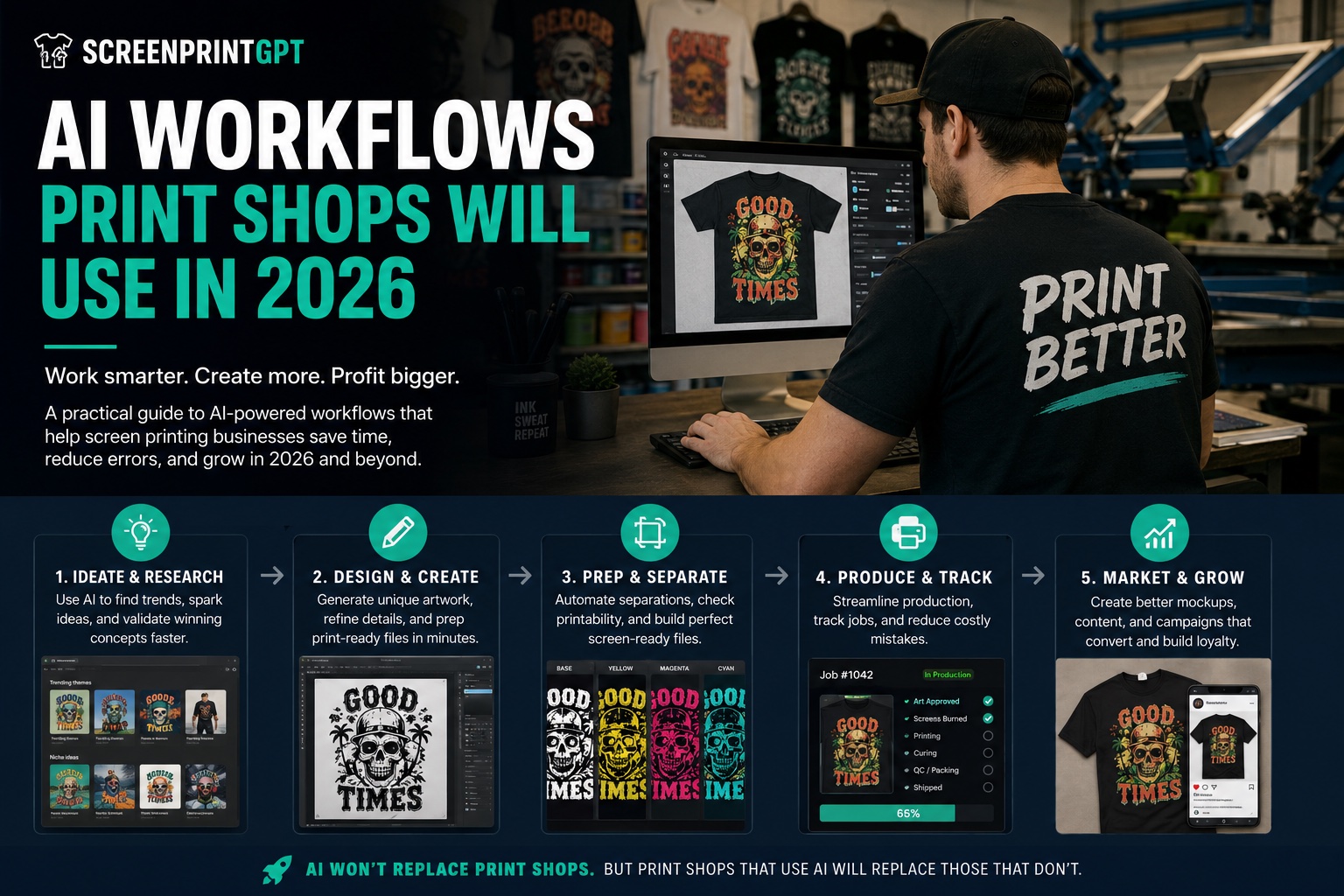
Every conference stage and LinkedIn feed wants to tell you AI is going to change the print industry. Most of them are short on what that actually looks like on a Tuesday afternoon when you have 40 orders due and two screens that will not hold registration.
I run a real shop, and I have spent 15+ years inside other people's shops, on the press, in the art room, and running operations for businesses printing serious volume. So I am not interested in AI as a buzzword. I am interested in whether it gets work off my plate and out of my team's way. This post is the practical version: where the industry actually is in 2026, and the low-hanging AI workflows you can start with today.
The state of decorated apparel in 2026
A few things are true at the same time right now, and together they explain the pressure every shop is feeling:
- Custom apparel printing grew about 7.4% last year, and most of that growth came from on-demand and short runs, not big bulk orders. The customer wants fewer pieces, faster, more often.
- DTF has gone mainstream. Roughly 70% of professional shops now offer direct-to-film as a standard service, and equipment makers are pushing hard on automation, including single-operator lines where you load a garment, scan a barcode, and the system prints, cures, and presses.
- Hybrid decoration is normal now. Screen print still owns the largest share of the market, but the wall between methods is dissolving. Embroidered emblems on DTF backdrops, screen plus digital, lower minimums across the board. Specializing in a single technique is no longer a safe bet.
- Labor is still the hardest problem. Finding and keeping skilled people is a constant battle, which is exactly why owners are looking at automation and AI to cover the work that does not need a human.
The industry noticed. In June 2026 the first dedicated AI Summit for decorated apparel professionals ran as a full virtual event, walking screen printers, embroiderers, and DTF shops through real, profitable AI workflows. That is the shift: AI in this trade has moved from "someday" to "what are you doing about it this quarter."
The one idea that matters: the pipeline, not the tool
Here is the mistake I see shops make. They chase the shiniest single tool, expect it to solve everything, and get disappointed when it does not print shirts for them.
The shops getting real value think in pipelines, not tools. They take one manual handoff, the slow or error-prone step where a person copies information from one place to another, and they let AI carry that single step, with a human still in the loop. Then they do the next one. Small, narrow, tested on real jobs. That is the whole game.
And notice what that does to your people. It does not replace them. It takes the friction, the cold starts, and the grunt work off their plate so they can spend their time on craft, customers, and the calls only a human should make. A small shop with AI in the right spots can punch way above its size. That is the exciting part.
5 AI workflows you can start this week
None of these need a big budget or a developer. Each one is a real workflow you can try before Friday.
1. Talk to your shop data in plain English
All the value in your shop management software is locked in the data: orders, due dates, line items, who is waiting on art. Getting a specific answer usually means clicking through a dozen screens.
Try this instead. Export a report you already run as a CSV, drop it into an AI tool, and ask a plain question like:
Which orders are due this week and still do not have approved art?
You get the answer back in seconds, in plain language. It is the difference between operating your software and interrogating it. Start with one report you check every Monday, and let AI read it for you.
2. Put a shop-smart AI expert next to the press
Generic chatbots are useless on a real shop question. Ask one why your white is not opaque on a 50/50 black tee and you get a Wikipedia answer that has never touched a flash unit.
That gap is exactly why I built ScreenPrint GPT, an AI assistant trained specifically for decorators. It knows mesh counts, cure temps, ink chemistry, and the difference between a clean underbase and a muddy one. When someone on your team hits a problem at 7am and the owner is not standing next to the press, they can ask and get an answer grounded in how printing actually works. AI is only useful when it is carrying real domain knowledge instead of vibes. It is free, so put it on the shop tablet and let your crew troubleshoot before they waste a shirt.
3. Turn your messiest 20 minutes into SOPs and clean emails
The least glamorous use is the highest leverage. Good shops run on systems, and systems live in SOPs that nobody ever wants to sit down and write.
Dictate the messy version of how you actually do something, cure settings, a reclaim process, how you onboard a new customer, and let AI turn it into a clean, step-by-step procedure your team can follow. Same with the customer email you do not want to spend 20 minutes wording, or the pile of notes that needs to become a checklist. It is grunt work that used to eat the edges of your day. Now it is a few minutes, and the documentation actually gets done.
4. Use AI for the cold start on art, not the finish
The worst part of any creative day is the blank canvas. AI is very good at killing the blank canvas.
Use it to research what is trending, generate rough concept directions, and hand your artists a stack of starting points instead of nothing. Nobody is shipping AI's first draft straight to a customer, and that is not the point. The point is that the cold start is handled, so your team spends its time on the part machines cannot do: editing, refining, and making it genuinely good. Keep a human between the AI and the customer, always.
5. Build the tiny tool you keep wishing existed
This is the one that changed how I work. You do not need to be a career software developer anymore. With AI, an operator can build the thing the shop needs instead of waiting for someone else to.
Start small and useful. A pricing helper, a per-shirt cost calculator, a script that renames files the way your RIP wants them. We built a stack of free browser tools this way, including a Screen Print vs DTF cost calculator and a whole shelf of shop calculators. AI collapsed the distance between "I wish this existed" and "okay, it exists." Pick the one annoyance you hit every week and build the smallest possible fix for it.
How to actually get good at this
If you want a repeatable method instead of random experiments, here it is, borrowed from people building serious production automations and boiled down:
Identify the manual handoff. Encode one rule. Test it on real work. Deploy. Repeat.
Find the slowest or most error-prone manual step in your shop. Build the narrowest possible AI helper for that one step. Test it against real jobs you already know the answer to, so you can measure whether it actually helped. Only then move to the next step. Narrow and tested beats broad and hopeful every time. And keep a person in the loop at every stage, because AI is confidently wrong often enough that you have to know your craft well enough to catch it. Garbage in, garbage out has not gone anywhere.
Bonus: get your shop recommended by AI search
Your customers are already asking ChatGPT, Perplexity, and Claude questions like "who does fast DTF near me" or "best shop for band merch." Those tools generate direct answers, and if your shop is invisible to them, you lose the job before it starts.
The fix is GEO, generative engine optimization: publish clear, structured information about your shop, services, location, turnaround, who you serve, and add schema markup so AI systems can read and repeat it accurately. We wrote a full walkthrough on this in why traditional SEO is dying and what to do about it. If you do one marketing thing this quarter, make it this.
What AI still cannot do in a print shop
I would be doing you a disservice if I made this sound like magic. AI does not print your shirts, register your screens, hit a deadline, or care about a customer. It is a force multiplier, not a replacement. If your process is a mess, AI just helps you make a mess faster.
The shops winning are not the ones chasing the flashiest tool. They are the ones who already know their numbers and their workflow, and use AI to handle the parts that do not need a human, so the humans can do the parts that do. Tech forward, people forward. That is the whole philosophy.
Start with one workflow today
Do not try all five this week. Pick the one that maps to your biggest weekly headache and run it once. Export that report and ask AI a question about it. Put ScreenPrint GPT on the shop tablet. Turn one messy process into an SOP. Momentum comes from one workflow that works, not from a grand plan.
The best free place to start is the assistant itself. It is trained on this trade, it is free forever, and it is built by a printer for printers.
Frequently asked questions
Will AI replace screen printers and decorators?
No. AI does not print shirts, register screens, cure ink, or care about a customer. It removes cold starts and grunt work so the people in the shop can spend more time on craft, quality, and relationships. The shops winning with AI in 2026 pair it with human skill rather than trying to replace it.
What is the easiest way for a print shop to start using AI?
Export a report you already run, such as a production or order CSV, and ask an AI tool plain-English questions about it, like which orders are due this week without approved art. It takes minutes, needs no new software, and shows the value immediately.
Is AI useful for a small print shop or only big ones?
Small shops often gain the most. AI collapses the distance between a good idea and a working system, so a small shop can build its own tools, document its process, and punch above its size without hiring a developer or a large back office team.
How do I get my print shop recommended by AI tools like ChatGPT?
Publish clear, structured information about your shop, including services, location, turnaround, and who you serve, and add schema markup so AI systems can read it. This is called GEO, or generative engine optimization, and it is becoming as important as traditional Google SEO.